Personalize Your Rings With Your Own Message
Every Forevermore Jewelry ring can be laser engraved to make your rings even more uniquely personal.
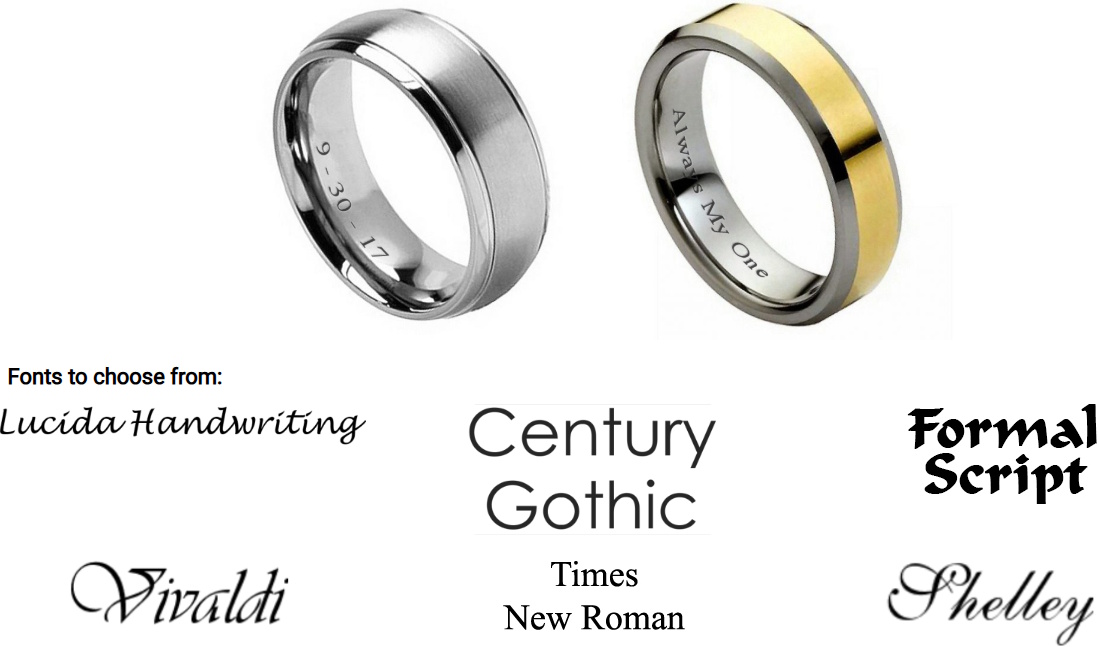
How To Preview Your Engraved Message:
- Select the ring you would like to engrave from our "Ring Selection".
- Click the "yes" box to next to "Add Engraving".
- Add your message and/or wedding date in the text box provided. There is a maximum character count of 25 that includes spaces, dashes, letters or numbers. Emojis and special characters such as hearts can not be engraved.
- Select any font below the text box to preview your message in that font.
- Once you are satisfied with your message and font selection, click "Add to cart".